Kept Runner · for accounting firms on QuickBooks Online
AIdoesthework.Youconfirm.
Give Kept Runner a command. It shows you a plan, reads your client's QuickBooks without changing a thing, and lays out every proposed change with a reason. Only what a person approves is ever written.
AI prepares. A person approves. Never the other way around — not for one transaction, not for a thousand.
0
writes while it works
Reading is enforced in code: a write to QuickBooks is refused before the request is even made.
1
confirmation to start
Kept shows its plan first. Nothing is read until you press Start — or Enter.
3
groups to review
To post, To decide, Flagged. Flagged items can never be approved in bulk.
100%
of writes approved by a person
Each approval is an audit row: who, what changed from what, and when. A row without a person is refused.
How it works
Six steps. You hold two of them.
The AI does the reading, the matching and the paperwork. You decide when it starts and what gets written. Every screen below is the real app, on a QuickBooks sandbox company.
01 · COMMAND
Say what you need.
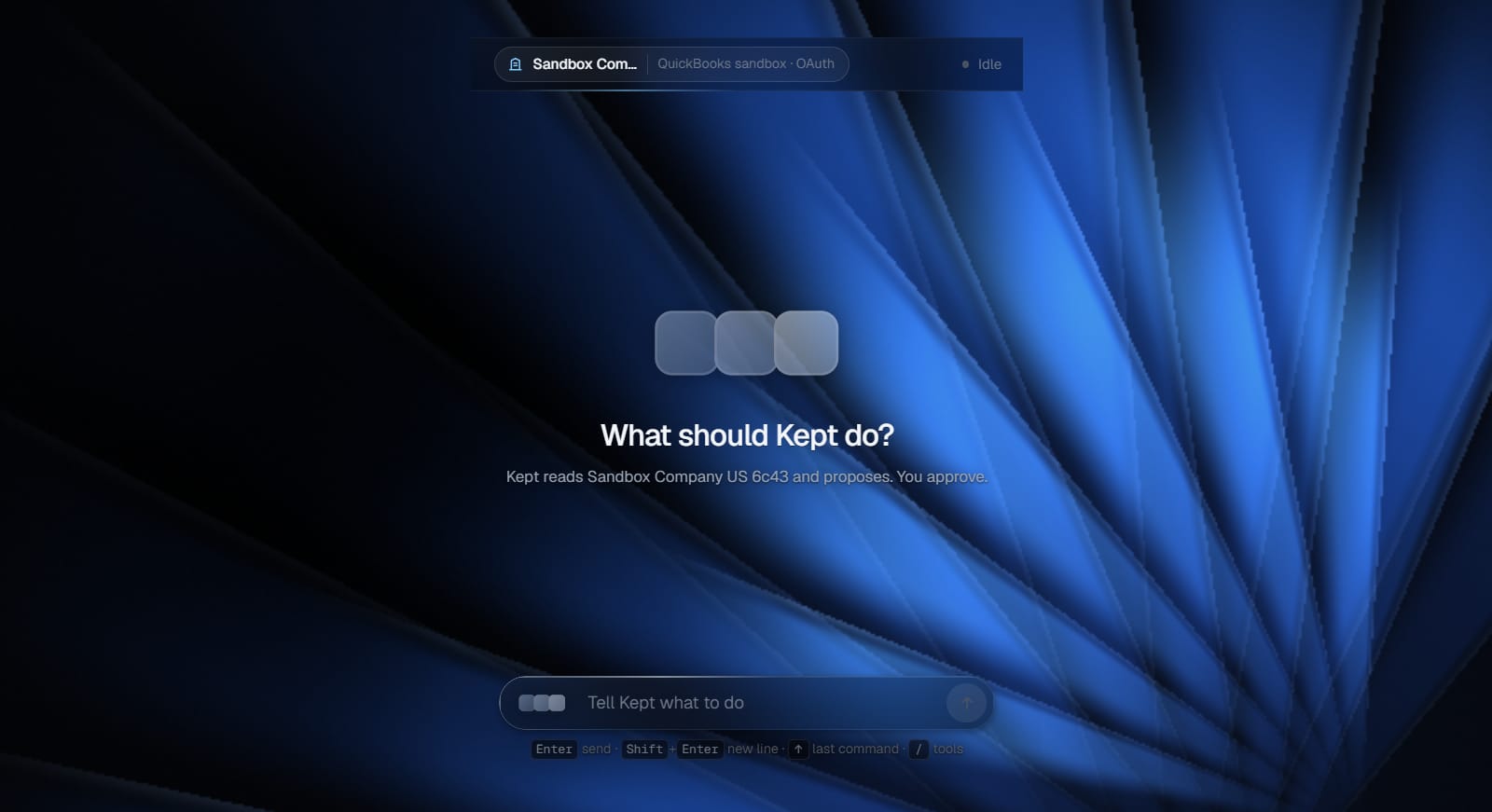
Type it the way you'd brief a junior: “Find last month's uncategorized expenses and propose the right accounts.” Nothing happens yet — not a single read.
02 · PLAN
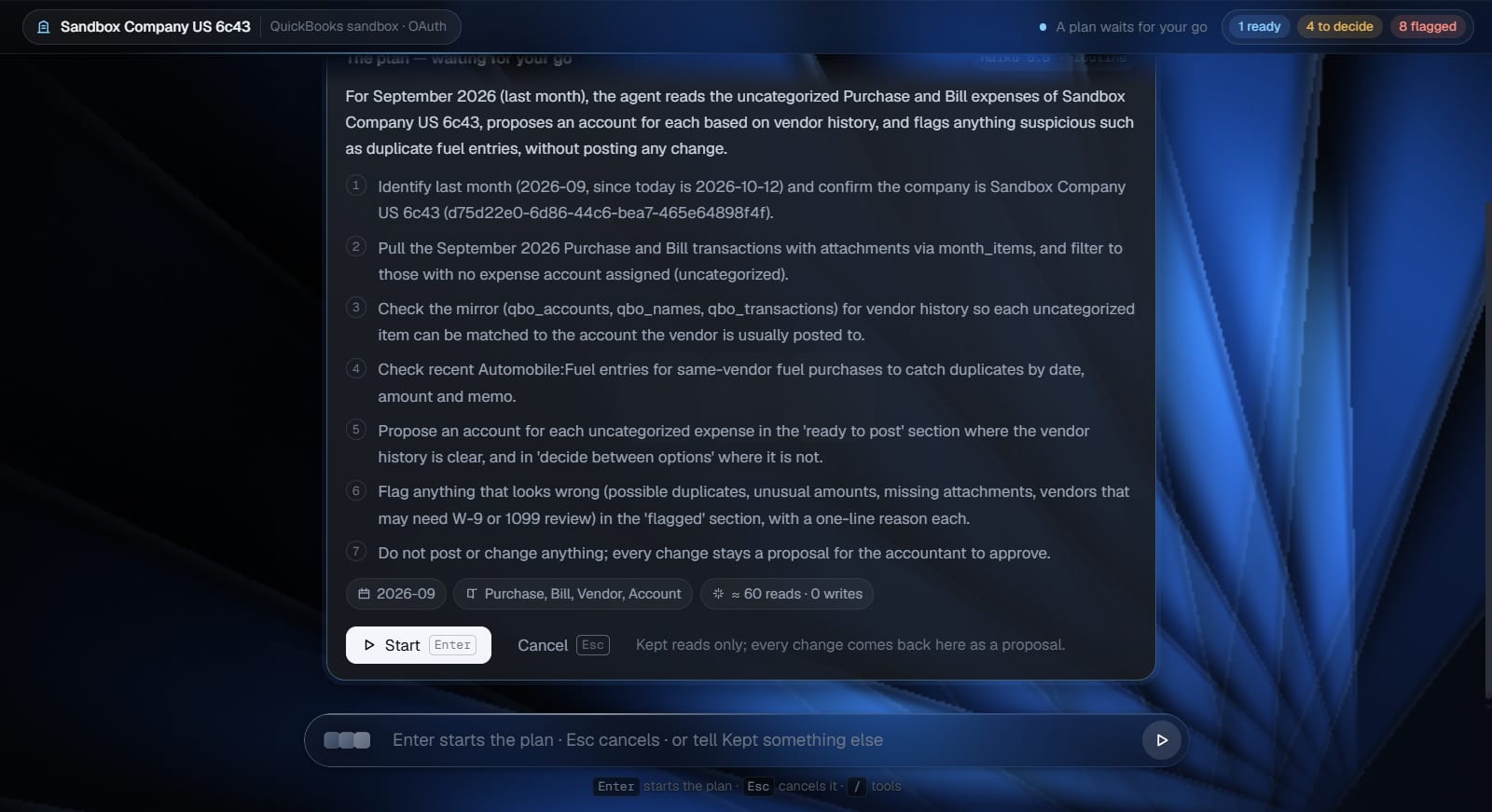
Read the plan before anything happens.
Kept answers with a plan, not an action: the steps, the records it will look at, and an estimate — “≈ 30 reads · 0 writes”. At this point it has read nothing from QuickBooks.
03 · CONFIRM
One confirmation. Yours.
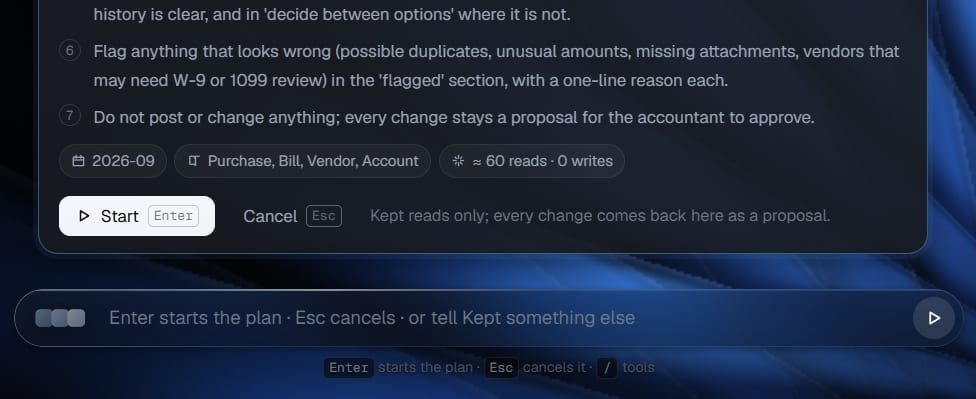
Press Start, or Enter. Esc cancels and nothing is read. The AI never decides on its own that work begins.
a person starts every task
04 · READ-ONLY WORK
It reads. It doesn't touch.
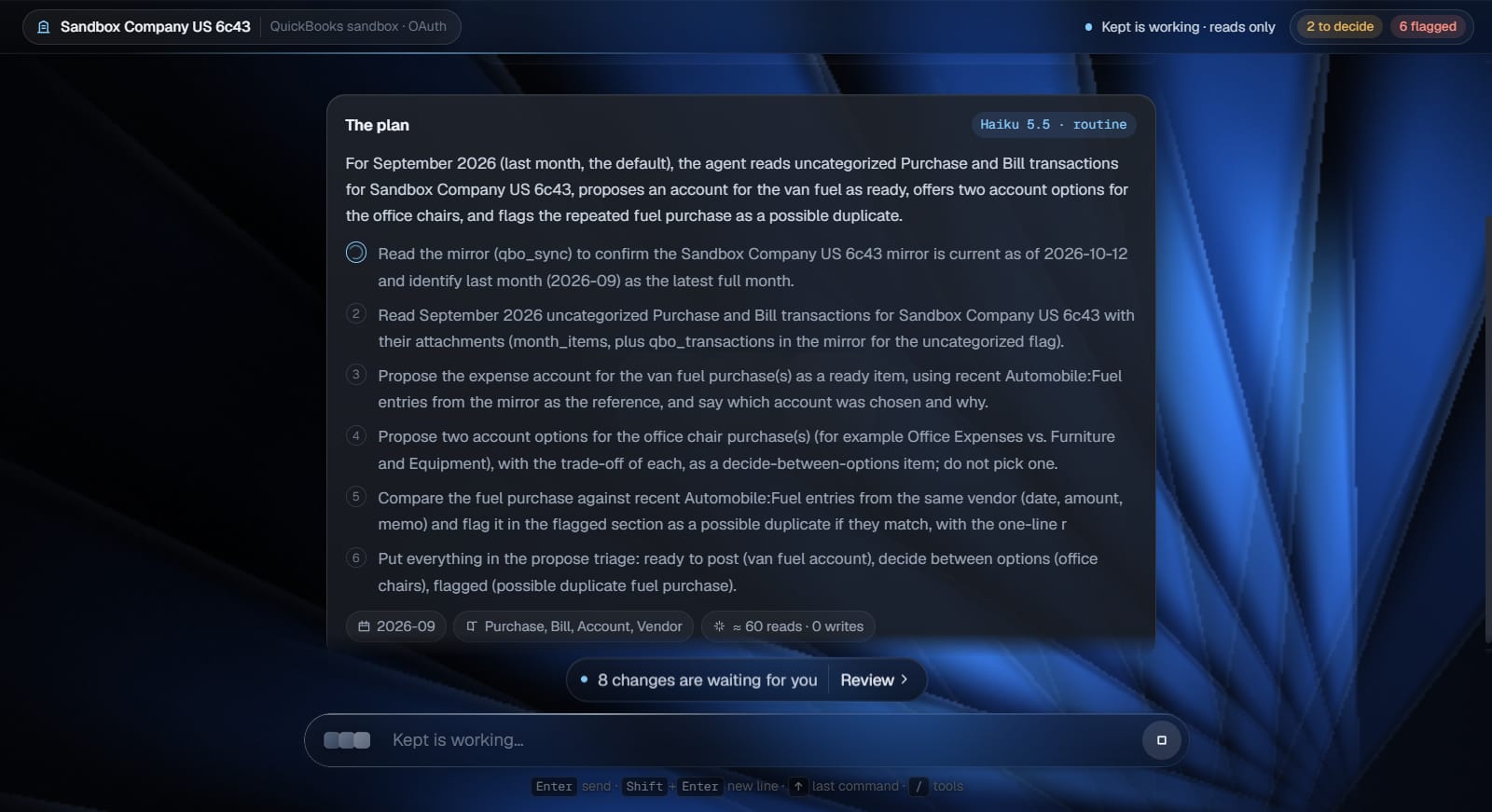
While Kept works, the QuickBooks connection is read-only. Every step goes into a work log — what it read, what it computed, what it decided and why. A task stops at 25 steps and tells you to say “continue”.
05 · THREE GROUPS
Every change, laid out with a reason.
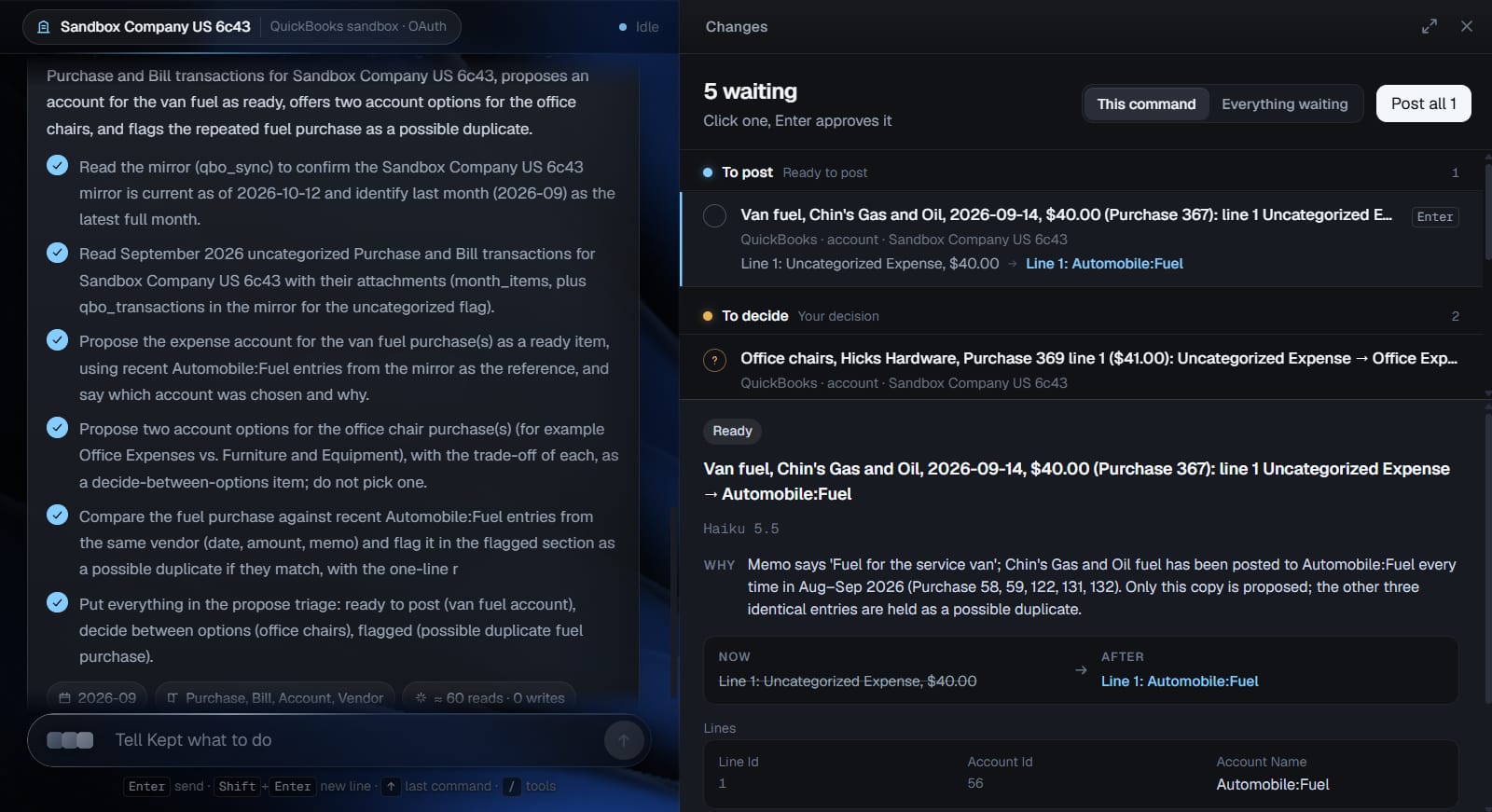
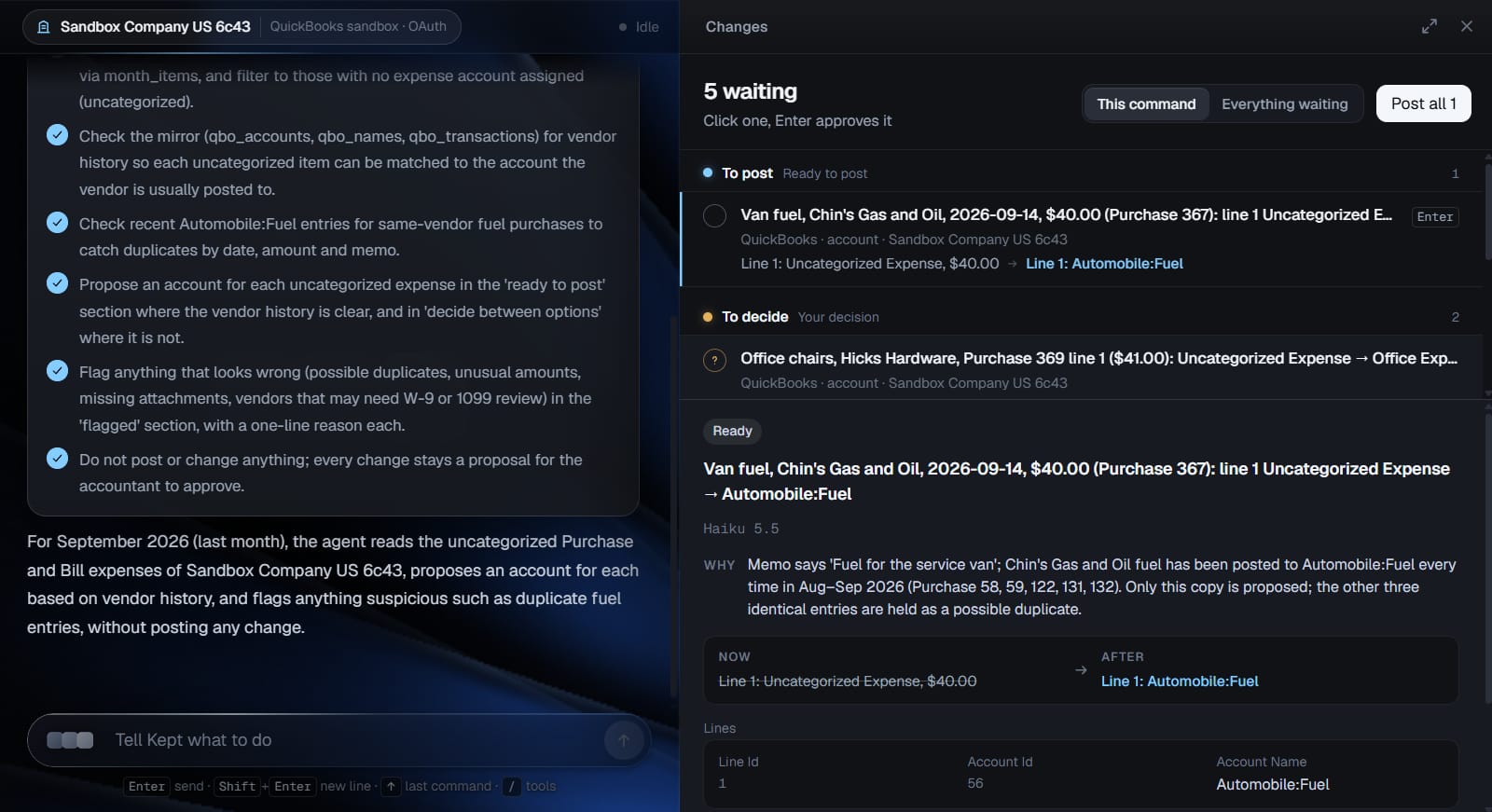
Proposals arrive in a live preview in three groups. To post: approve one by one or all at once. To decide: two or three options, you pick. Flagged: a possible duplicate or something off — never approved in bulk. Each item shows old → new and a one-line why.
06 · APPROVE
Only what you approve is written.
Approved items go to QuickBooks once — a second click replays the first result instead of posting twice — and not at all if the record changed since Kept read it. Each approval becomes an audit row with your name. Rejections and corrections become memory for next time.
a person approves every write
Real app · QuickBooks sandbox companyStep 1 of 6
The real app
No mockups. This is what you'll use.
Screenshots of the real app on our QuickBooks sandbox company, cropped to the work area and otherwise untouched.
Review at the speed of a keyboard.
The conversation on the left; the changes on the right. Select an item and every field it touches is visible — now and after.
Enter approves, E edits, R rejects — with a reason Kept remembers.
Decisions take 123; a decision can't be approved until you pick.
Add your own item to any group; it's checked exactly like the AI's.
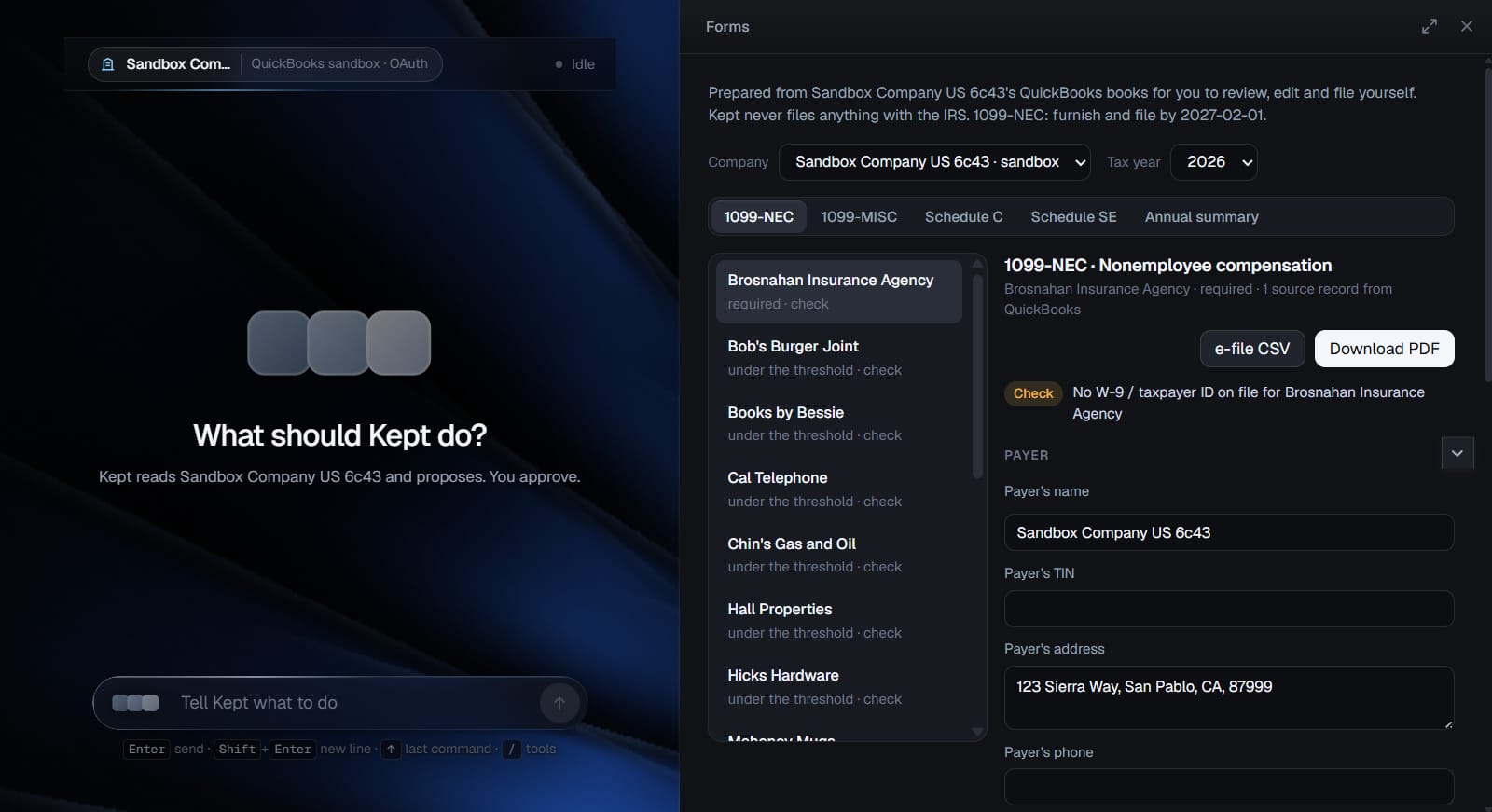
Forms prepared for you — filed by you.
1099-NEC, 1099-MISC, Schedule C, Schedule SE and an annual summary, drafted from the client's QuickBooks books for you to review and edit.
Missing W-9s and taxpayer IDs are called out before you file.
PDF and an e-file CSV, for you.
Kept never sends anything to the IRS. It's blocked in the network layer.
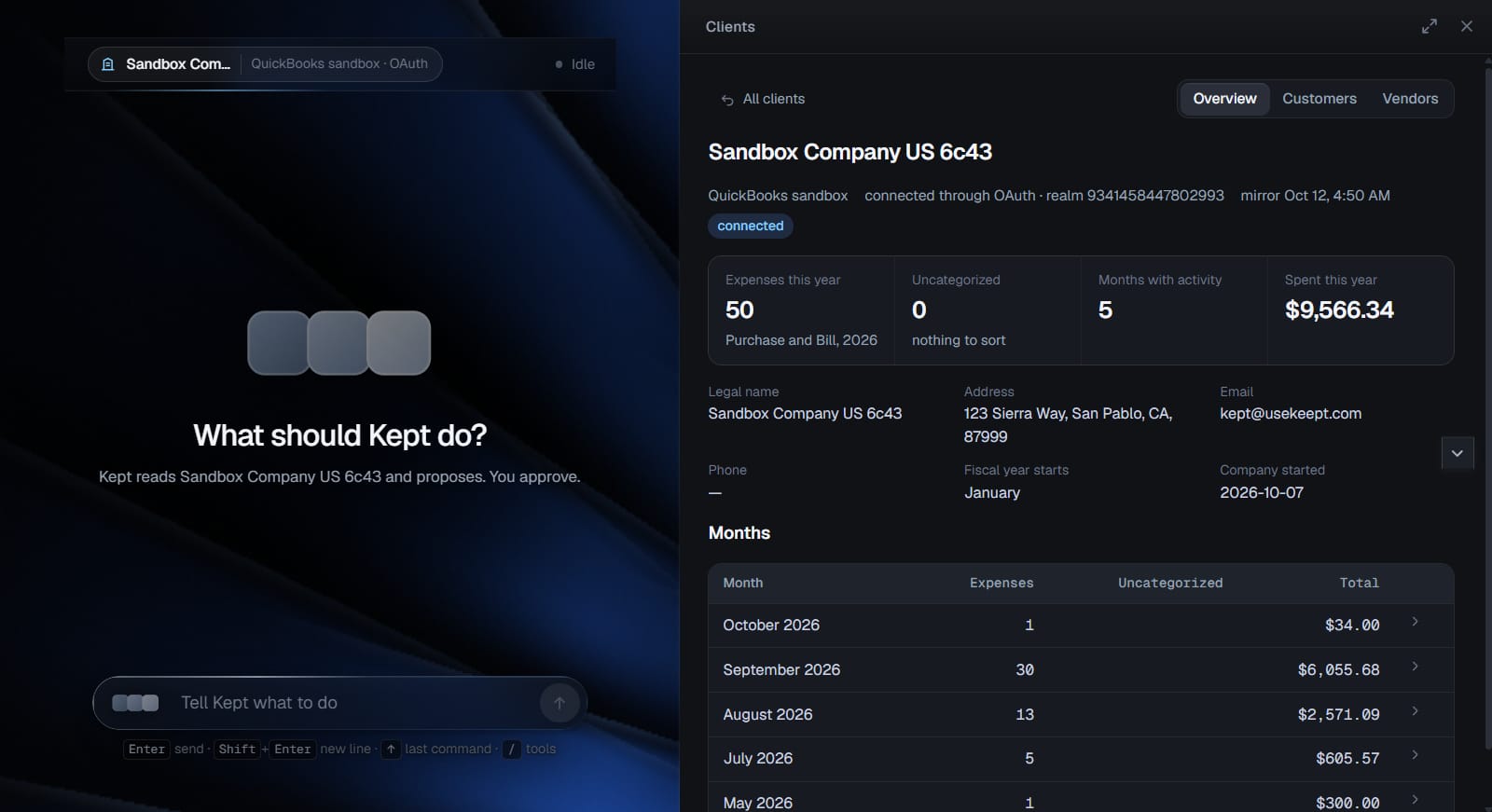
Every client company, one glance.
Each QuickBooks company your firm connects gets a page: expenses this year, what's still uncategorized, month by month, customers and vendors.
Connected through Intuit's own sign-in (OAuth); disconnect anytime.
Refreshed when you ask, or when you confirm a plan — never on a timer.
Memory of corrections
Correct it once.
When you reject a proposal with a reason, or fix one before approving, Kept turns it into a short rule and reads it before its next plan. You can see every rule it has learned, and delete any of them.
YouReject · “Fuel from this vendor always goes to Travel.”
BeforeAutomobile:Fuel
Next runTravel
Measured in our QuickBooks sandbox test suite: the next command proposed the account from the lesson. It still waited for approval.
Security & trust
Built for the most careful person in the room.
Your clients trust you with their books. Here is exactly what Kept can and can't do with them.
Audit log — one row for every approval, decision, rejection and failed writeexample rows · fields as stored
● Who
What
Record
Before → after
QuickBooks
When
Jane Doe, CPA
approved
Purchase #356
Uncategorized Expense → Automobile:Fuel
id 356 · SyncToken 1
Oct 12, 4:51 PM
Jane Doe, CPA
decided
Purchase #357
Option 1 of 2: Office Expenses
—
Oct 12, 4:50 PM
Sam Lee
rejected
Purchase #362
“Fuel from this vendor goes to Travel.”
nothing written
Oct 12, 4:47 PM
The server refuses an audit row without a person, an action and a time. Each row keeps the old and new values and QuickBooks' response. Viewable per client company and for the whole firm.
Zero automatic writes
While the AI works, the QuickBooks connection refuses every write before a request is made. Writes happen only when a named person approves an item.
Nothing runs on a schedule
No background syncing of client books, no AI that starts itself. Intuit's change notices are only noted. The one daily job renews the QuickBooks sign-in and reads no client data.
Client data only with consent
A company is connected only through Intuit's own OAuth sign-in. Kept reads it when you confirm a plan or press Refresh. One QuickBooks company belongs to one firm. Disconnect anytime.
One account, one person
Approvals are tied to the individual who made them. Seats aren't shared, so “who approved this?” always has one answer.
Nothing goes to the IRS
Forms are prepared for you to review and file yourself. Requests to IRS systems are blocked before they leave Kept's servers.
Where data goes
The records a confirmed plan needs are processed on Kept's servers (Supabase, US) and by Anthropic's models. Under Anthropic's commercial terms, that data isn't used to train its models. It's never sold.
What Kept doesn't do — yet, or ever.
Better you hear it here than find out in month two.
No Xero, no QuickBooks Desktop — QuickBooks Online only, for now.
No payroll.
No bank-feed “For Review” — QuickBooks' API doesn't offer it. Changes wait in Kept's preview instead.
No filing with the IRS, ever.
No online card payment yet — billing is arranged with us directly.
No year-in-one-go: big jobs stop cleanly at 25 steps; say “continue”.
Pricing
Per person. No asterisks.
Every plan starts with a 30-day trial on Professional limits. When a limit is reached, you're told — you never hit a wall.
Starter
For routine work, one person.
$49.99per seat / month
or $499.90 a year
The fast model for every command: reading, categorizing, simple orders, extraction
5,000 commands a month
At 5,000: a clear message and an offer to move up — nothing lost
Online card payment isn't live yet. You don't need a card to start the trial; when you choose a plan, we set up billing with you directly at support@usekeept.com.
30 days to judge it.
Run it on real client work with Professional limits. Every write still waits for you.
Leave whenever you like.
Cancel anytime. Your QuickBooks books stay exactly as you approved them — they're yours, in QuickBooks.
No wall at the end.
If a trial ends or a limit runs out, Kept keeps working on lighter limits until you decide.
FAQ
Straight answers.
Can the AI change my client's books without me?
No. While Kept works, its QuickBooks connection is read-only — a write is refused in code before any request is made. Changes come back as proposals. Only items a named person approves are written, and each one is logged with who, what and when.
What can I ask it to do?
Work you'd hand to a careful junior on QuickBooks Online: find uncategorized expenses and propose accounts, spot possible duplicates, prepare a bill, a journal entry or an invoice for your approval, list which vendors need a 1099-NEC and why, draft 1099-NEC, 1099-MISC, Schedule C and Schedule SE from the books, answer questions about a client's accounts and months.
Does it add transactions to the bank feed's “For Review”?
No — QuickBooks Online's API doesn't offer access to the bank feed's For Review list, and Kept won't pretend otherwise. Bank-side changes are prepared in Kept's preview and, once you approve them, written as final records (purchases, deposits, transfers, journal entries).
Does Kept file anything with the IRS?
Never. Forms are prepared for you to review, edit and file yourself, as a PDF and an e-file CSV. Requests to IRS systems are blocked on Kept's servers.
Which software does it work with?
QuickBooks Online, connected through Intuit's OAuth. Not Xero and not QuickBooks Desktop, for now. No payroll.
Which AI models does it use?
Anthropic's. A fast model handles routine work — reading, categorizing, simple orders, extraction. On Professional and Team, Opus 5.5 takes the hard reasoning: ambiguous decisions and form drafts. Every command records which model ran and why.
What happens when I reach a limit?
On Starter, after 5,000 commands in a month you get a message and an offer to move up; nothing is lost. On Professional and Team, after 2,000 Opus commands a seat moves to the fast model automatically, without blocking. Every plan shows a usage meter and alerts you at 80%.
What happens after the 30-day trial?
The trial runs on Professional limits. If you haven't chosen a plan when it ends, your firm continues on Starter limits until you do — no lockout, nothing deleted.
How do I pay?
Online card payment isn't wired up yet, so you don't need a card to start. When you choose a plan, we arrange billing with you directly — write to support@usekeept.com.
Can several people share one login?
No. One account is one person, so every approval has a name on it. The Team plan includes five seats; each extra seat is $99 a month.
Is my clients' data used to train AI?
Kept sends Anthropic only what a confirmed plan needs. Under Anthropic's commercial terms, that data isn't used to train its models. Kept never sells data and has no ads.
What about very large jobs, like a whole year?
A task is capped at 25 steps. When it reaches the cap, Kept stops cleanly, keeps every proposal in the preview, and asks you to say “continue”. A full-year review takes a few commands.
I run a small business, not a firm. Is this for me?
Kept Runner is for accountants. For your own receipts there's Kept for Android: it finds receipts in your photos and invoices you forward, and builds a monthly pack for your accountant.
For your clients
Running a small business? There's a Kept for you too.
Kept for Android finds receipts in your photos and the invoices you forward, reads them, and hands your accountant a finished pack every month. You never type a thing.